
Automating VSIX Builds: Microsoft Highlights GitHub Actions Approach
Microsoft has shared a practical approach for automating Visual Studio extension builds with GitHub Actions. The guidance shows how extension developers can create a repeatable workflow for building, versioning, and publishing VSIX packages. It also highlights reusable actions that can simplify CI/CD setup and reduce manual maintenance across extension repositories.
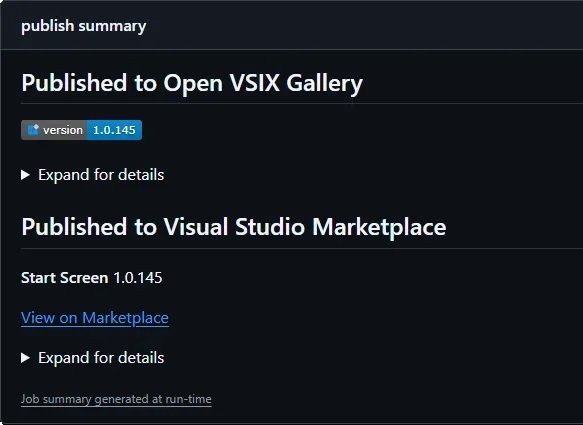
Here’s what you need to know:
Streamline Your Workflow
Break your pipeline into reusable GitHub Actions so you don't have to duplicate logic across repositories. Use dedicated actions for version stamping, publishing CI builds to a VSIX Gallery, and releasing to the Visual Studio Marketplace.
Automate Version Management
Keep your VSIX version in sync without manual edits. The vsix-version-stamp action updates version numbers during the build, while the VSIX Synchronizer extension can expose that version directly in your code from a single source of truth.
Publish to the Visual Studio Marketplace
Releasing your extension is simple with the publish-marketplace action. All you need is your VS_MARKETPLACE_TOKEN, and the VSIX package takes care of the rest.
Share CI Builds with a VSIX Gallery
Use publish-vsixgallery to quickly distribute preview builds for testing and validation before an official release. It supports both public and self-hosted VSIX Galleries, giving you flexibility without changing your workflow.
Build the Pipeline That Fits You
Choose only the actions you need. Whether it's a minimal Marketplace release, a CI-focused testing pipeline, or a complete automated workflow, each action works independently and integrates seamlessly.
Choose the Right Publishing Target
Use a VSIX Gallery for preview builds, internal testing, and rapid feedback. Publish stable, production-ready releases to the Visual Studio Marketplace so users always get the latest official version.
Need an AI agent tailored to a specific workflow in your organisation? Contact us today to explore the right solution for your business.
