
New Visual Studio Feature Lets You Decide How Hard AI Should Think
Microsoft is introducing a new AI capability in Visual Studio that gives developers more control over how much reasoning supported AI models use for different coding tasks. The new thinking effort control helps balance response quality with AI credit usage, allowing developers to match the model's reasoning to the complexity of the problem.
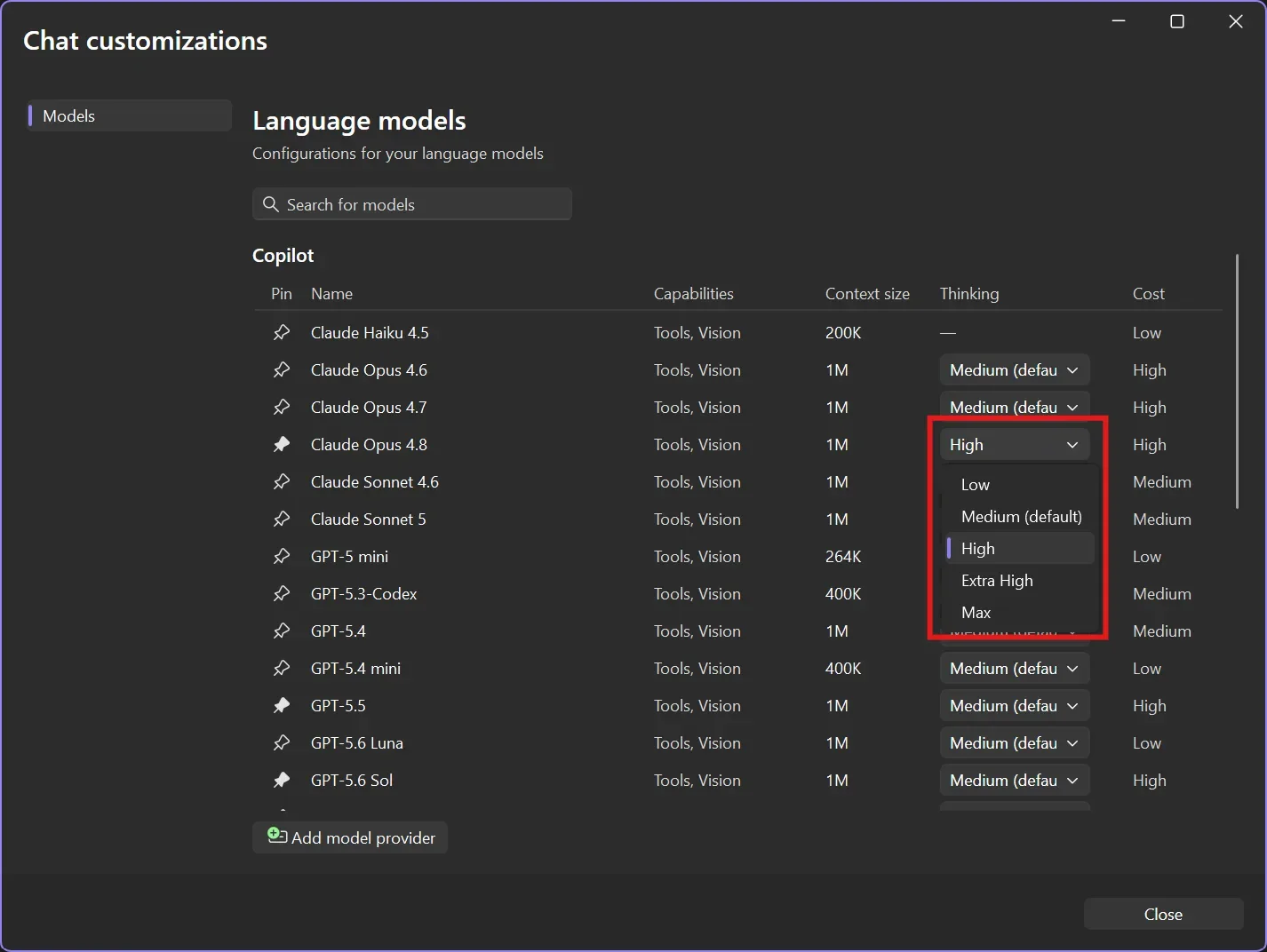
Here's what you need to know:
Choose the Right Thinking Level
Not every coding task needs maximum AI reasoning. Select from thinking levels like Low, Medium, High, and, for supported models, Extra High or Max to match the complexity of your problem while keeping AI credit usage under control.
Manage It All in One Place
Adjust Thinking Effort directly from the Manage Models window in Visual Studio. Alongside each model's capabilities, context size, and cost, you can easily fine-tune how much reasoning it applies before answering.
Make Every AI Credit Count
Lower thinking levels are ideal for quick coding questions and everyday suggestions, while higher levels are best reserved for challenging debugging or architecture decisions. Matching the effort to the task helps stretch your AI credits further without sacrificing quality when it matters most.
Work Smarter with AI
Thinking Effort gives you greater control over how AI supports your development workflow. Whether you need fast answers or deeper analysis, you decide how much reasoning each task deserves.
Empower your team with an AI assistant that understands your organisation’s systems, so they can work smarter every day. Explore System Knowledge Assistant and contact us today!
