
Service Agent Is Now Generally Available in Microsoft 365 Copilot
Microsoft has announced the general availability of Service Agent in Microsoft 365 Copilot, bringing its AI-powered customer service capabilities to production environments. Following its public preview earlier this year, the release introduces a more mature experience for service teams looking to streamline case management and customer interactions.
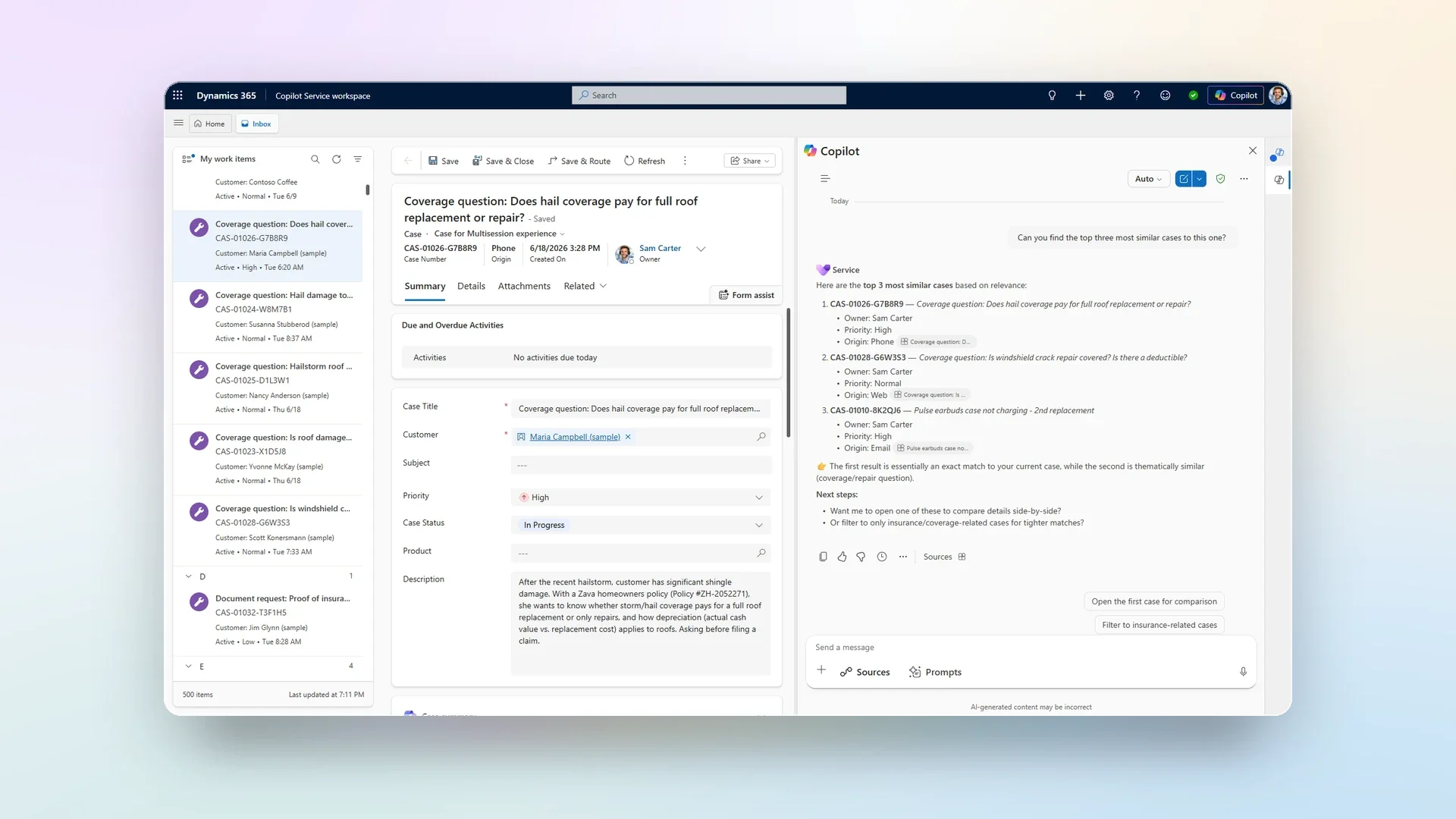
Here's what you need to know:
General Availability
Service Agent is now generally available, evolving from an AI assistant that summarises information into one that can take action across the customer service workflow. It introduces 70+ MCP tools and new product enhancements that help agents resolve cases faster, with greater accuracy and less manual effort.
New capabilities available
Service Agent helps agents quickly understand customer context, discover trusted knowledge, update cases, create activities, and generate files—all from within Microsoft 365 Copilot. Interactive in-chat experiences, image understanding, dashboards, and extensibility through MCP tools make service workflows more efficient than ever.
Why should your service teams use it
By bringing together data from Dynamics 365, Microsoft Graph, Dataverse, and SharePoint, Service Agent gives teams the context they need without switching between applications. The result is faster case resolution, improved productivity, more consistent customer service, and quicker onboarding for new agents.
Getting started
Organisations with Dynamics 365 Customer Service and Microsoft 365 Copilot licenses can start using Service Agent today across Dynamics 365, Microsoft Teams, and Outlook. Administrators can easily deploy and govern the experience while enabling AI-powered customer service at their own pace.
Provide fast, AI-powered responses to customer inquiries over the phone. Discover Power Assist Voice and contact us today to see it in action!
