
SharePoint Makes AI Page Authoring More Intuitive
SharePoint is making AI-assisted page authoring more intuitive with an updated on-canvas experience. Microsoft’s latest update lets authors select a section or web part, describe the changes they want in natural language, and review the results directly on the page.
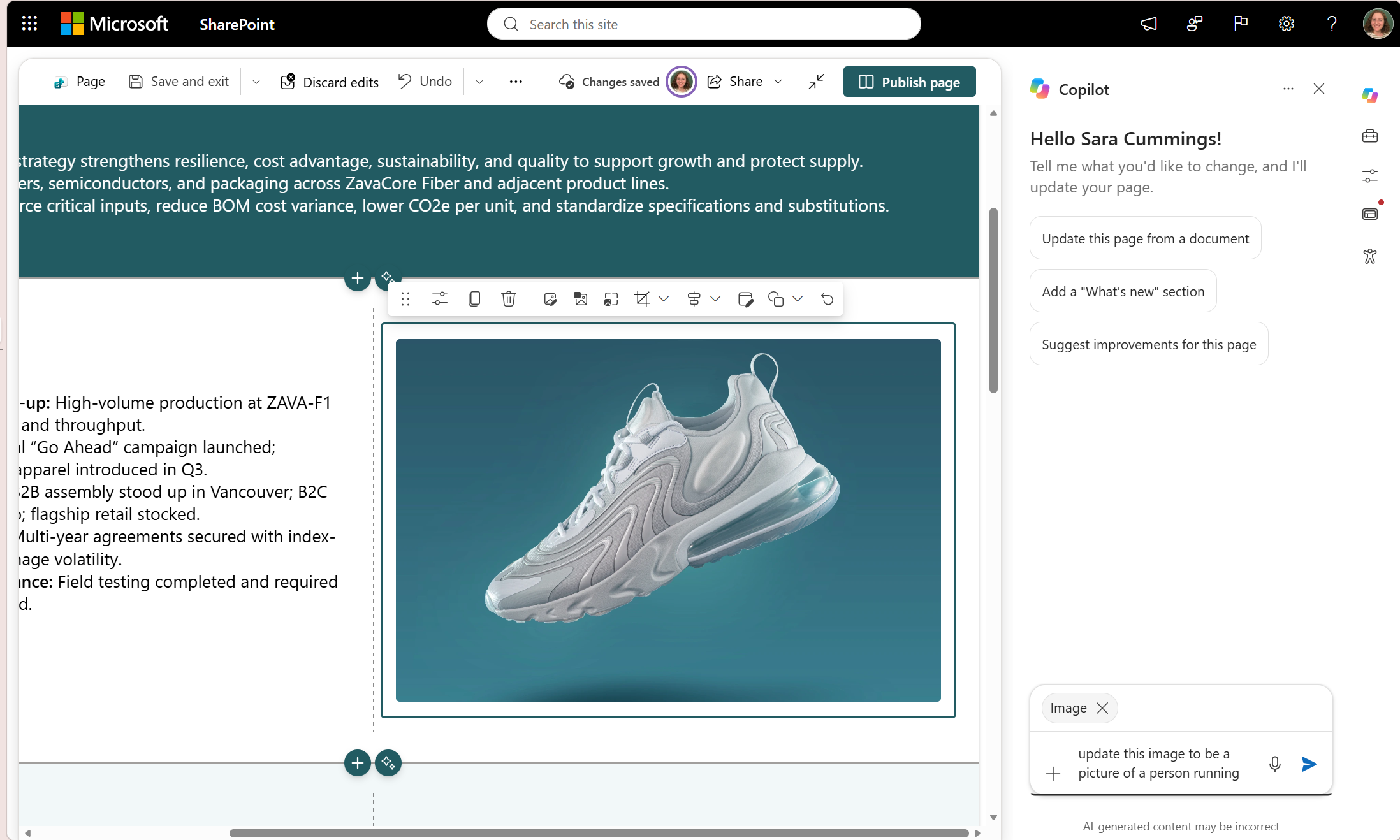
Here’s What You Need to Know:
Select What You Want to Change
Instead of describing where content sits on the page, simply select the web part or section you want to edit. Copilot automatically uses your selection as context, making it easier to give focused instructions.
Make Focused or Broader Updates
Ask Copilot to move an image, update content, or change a section’s column layout. You can also request broader updates, such as changing repeated product or brand names across supported page content.
Review Changes Before Publishing
Updated areas are visually indicated on the canvas, making it easier to see what Copilot has changed. You can review the full page, verify links and facts, check accessibility, and preview everything before publishing.
Describe the Outcome, Not the Steps
You don't need to learn specific commands or syntax. Simply describe what you want, such as “move this to the middle column” or “make this a two-column section”, and Copilot uses your selected page context to understand the request.
Refine Pages More Naturally
Suggested prompts can help you get started, while follow-up suggestions make it easier to continue refining your page. This can be useful for everything from quick content adjustments to larger page-wide updates.
Built for New and Experienced Authors
For new authors, Copilot can reduce the need to know every SharePoint web part or configuration option. For experienced authors, it can help speed up repetitive edits while keeping the author in control of the final review and publishing decision.
Rolling Out Gradually
The experience is rolling out gradually across Microsoft 365, so availability may vary by tenant and release ring. Organisations need Copilot in SharePoint enabled, and authors need permission to edit pages.
Looking to use AI agents to build smarter websites for your organisation? Contact us to explore how AI-powered solutions can support your website development needs.
